Å kjøpe en CNC-maskin til hjemmet handler mindre om å jage spesifikasjoner og mer om å passe. Den riktige maskinen passer til prosjektlisten din, den tilgjengelige plassen og tålmodigheten til menneskene du bor sammen med.
Denne veiledningen sammenligner de viktigste husholdningsalternativene, bryter ned realistiske budsjetter og dekker de tre faktorene som påvirker de fleste hjemmeoppsett: støy, støv og strøm. Hver anbefaling er basert på hva ekte eiere rapporterer i maskinerings- og produsentfora.
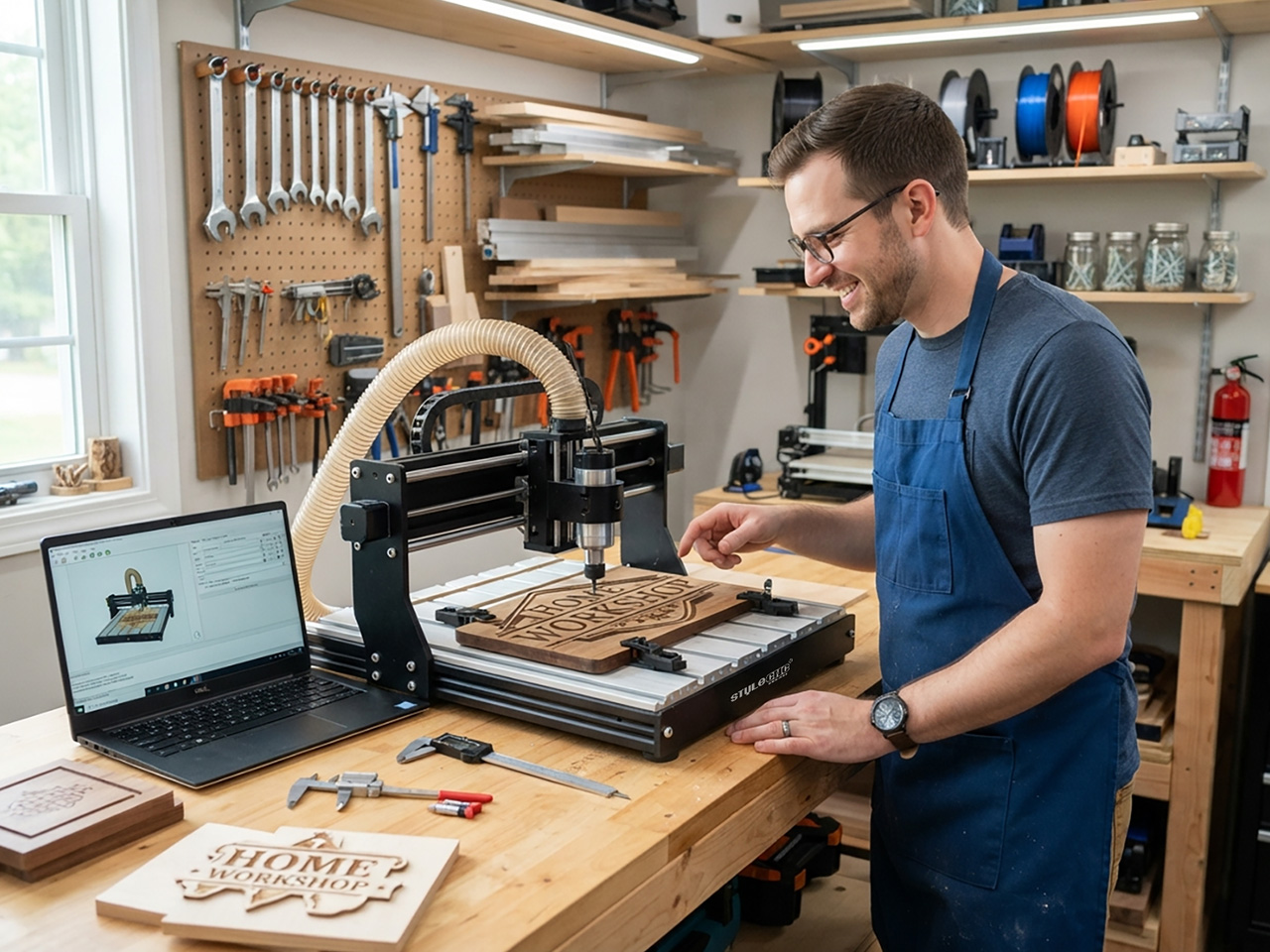
Hva teller som en husholdnings-CNC-maskin
En CNC-maskin for husholdningsbruk er en hvilken som helst datastyrt ruter, fresemaskin eller laser som går på strøm fra en bolig og passer til et hus. Fire typer dekker nesten alle boligkjøpere.
• Stasjonære CNC-rutere3018-klassesett som står på et skrivebord og skjærer i mykt treverk, plast, kretskort og lett aluminium.
• Benkmonterte CNC-ruterestive rammer som f.eks. en liten stasjonær CNC-maskin eller 2x4 CNC-ruter på benk som håndterer hardtre, MDF og ikke-jernholdige metaller.
• DiodelasergravørerÅpne rammemaskiner som graverer tre, lær og belagte metaller til lav kostnad.
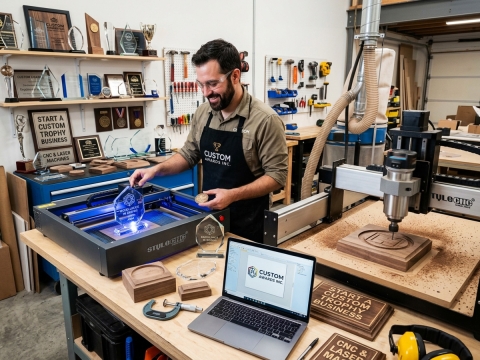
• CO2 lasergraveringerlukkede maskiner som f.eks. en hobby CO2 laser cutter som kutter akryl og kryssfiner med rene kanter.
CNC-ruter eller lasergravør: Match maskinen til prosjektet
En fres fjerner materiale med en roterende kutter, slik at den kan skjære, bore og profilere nesten alt som er mykere enn boret. Skilteksperter som eier begge maskintypene kaller konsekvent fresen for det mest fleksible førstekjøpet av den grunn.
En laser brenner eller fordamper i stedet en tynn linje. Den vinner på hastighet, fine detaljer og null klemming, og det er derfor små graverte produkter dominerer laserarbeidsflyter. Hvis listen din sier utskårne skilt, snekkerarbeid eller aluminiumsdeler, velg en freser. Hvis den sier tumblers, nøkkelringer, fotogravering eller akryl, en stasjonær laserskjærer og gravør betaler seg selv raskere.
Tabellen nedenfor sammenligner de fire husholdningsklassene basert på tallene som er viktige hjemme.
| Trekk | Desktop CNC-ruter | Benchtop CNC-ruter | Diodelasergravør | CO2 Lasergraver |
|---|---|---|---|---|
| Måling (arbeidsområde) | 300 mm x 180 | 600 x 900 til 1200 x 1200 mm | 400 mm x 400 | 500 mm x 700 |
| Typisk budsjett | $ 200 til $600 | $ 1,500 til $5, 000 | $ 300 til $1, 200 | $ 2,000 til $6, 000 |
| Materialer håndtert | Mykt treverk, plast, PCB, lett aluminium | Hardved, MDF, aluminium, messing | Tregravering, lær, tynn kryssfiner | Akryl, kryssfiner, lær, gummi |
| Støy under skjæring | 70 til 85 dB | 75 til 95 dB | 45 til 60 dB | 50 til 65 dB |
| Hovedbiprodukt | Flis og fint støv | Flis og fint støv | Røyk og gasser | Røyk og gasser |
| Beste hjemmetilpasning | Kontor- eller soveromshjørne | Garasje eller kjeller | Ventilert ekstrarom | Garasje med vindusventil |
Budsjettnivåer for boligkjøpere
Gateprisene er gruppert i fire nivåer. Tallene gjenspeiler typiske markedsoppføringer snarere enn et enkelt merke.
• Under $6003018-klassen stasjonære rutere og inngangsdiodelasere. Bra for læring av verktøybaner, PCB-gravering og små håndverk.
• $ 600 til $1, 500Sterkere diodelasere og større bordrutere med kuleskruer og grensebrytere. Det perfekte stedet for ivrige hobbyister.
• $ 1,500 til $4, 000: bordfreser med ekte spindler og lukket CO2 lasere i 50 til 60W rekkevidde. Kan utføre bijobb.
• $ 4,000 og oppover: 2x4 og 4x4 hobby CNC-rutere med spindler på 1.5 til 3 kW, pluss høyere effekt CO2 maskiner. Produksjonsklar i hjemmeskala.
Uansett nivå, hold tilbake 10 til 15 prosent for bits, klemmer, programvare og avtrekk. Forumarkivene er fulle av kjøpere som brukte hver eneste krone på maskinen og deretter ventet i en måned på tilbehør.
Støy, støv og strøm: De 3 avgjørende faktorene for boligkjøpet
Bråk
Skjærestøy varierer mer etter maskinklasse enn de fleste kjøpere forventer. For kontekst setter OSHA sin støygrense på arbeidsplassen til et gjennomsnitt på 90 dBA over 8 timer, og NIOSH anbefaler å holde seg under 85 dBA. Hjemmeøkter er kortere, men garasjer deler vegger. Typiske nivåer rapportert av eiere:
• Trim fresespindelen under saging: 80 til 95 dB.
• Vannkjølt spindel: 65 til 75 dB.
• Støvsugeren i butikken er avsugsdyktig mot støv: 75 til 85 dB, ofte den høyeste gjenstanden som kjører.
• Avtrekksvifte for laserkabinett: 45 til 60 dB.
I tråder om CNCZone-verksted peker erfarne eiere på støvsugeren og støvsamleren, ikke kutteren, som støyen som faktisk når naboene. Budsjetter med en stillere avtrekksstøvsuger eller et skap hvis noen sover på den andre siden av veggen.
Støv og røyk
Freser produserer fint støv, og OSHA klassifiserer trestøv som et kreftfremkallende stoff knyttet til astma og andre luftveissykdommer. En støvsko på spindelen pluss en HEPA-klassifisert støvsuger eller liten syklon er det første oppsettet som hobbyeiere anbefaler, og det fungerer også som sponrens.
Lasere bytter støv mot røyk. Alle lasere trenger et kabinett og en innebygd vifte som ventilerer ut luften utenfra, og belagt eller ukjent plast holder seg unna lasersengen siden PVC frigjør giftig klor ved kutting. De fleste åpne rammegravører er klasse 4-laserprodukter under FDAs laserfareklassifisering, den høyeste klassen, så vurdert øyebeskyttelse er ikke valgfritt.
Power
De fleste stasjonære maskiner kjører uten problemer på en vanlig stikkontakt. Regnestykket strammes inn etter hvert som spindlene vokser: omtrent 1 kW spindel på en 120 V-linje trekker omtrent 15 ampere, som er mesteparten av en boligkrets før støvsugeren slår seg på.
Eiere av elektriske gjenger fra CNCZone flytter vanligvis spindler på 2.2 kW til en 220V linje av den grunn. Sjekk sikringsklassifiseringen på målveggen før kassen sendes. En ekstra sjekk før levering: bekreft kontrollprogramvaren, siden mange bordrutere kjører Mach3 CNC-kontrollerprogramvare og forvent en dedikert Windows-PC.
Spørsmål ekte kjøpere stiller
Disse formuleringene dukker stadig opp i produsentfora og søkefelt, og hver enkelt er knyttet til en seksjon ovenfor.
• «Kan jeg kjøre en CNC-ruter i en leilighet uten at naboene hater meg?»
• "Hva kan en $500 CNC-maskin lager faktisk?
• «Trenger jeg en 220V en rekke i garasjen min for en hobby-CNC?
• «Hvilken er stillere hjemme, en laser eller en ruter?»
• «Hvor rotete er CNC-skjæring innendørs, egentlig?»
Vanlige feil førstegangskjøpere gjør
• Kjøpe kun basert på arbeidsområdet og ignorere rammestivheten, spesifikasjonen som faktisk styrer kuttekvaliteten.
• Utelate støv- eller røykavsug helt fra budsjettet.
• Forventer at en diodelaser skal skjære i tykt hardtre eller bart metall. Det kan den ikke.
• Ignorer støy inntil den første klagen kommer. Test desibelnivåene ved tomtegrensen tidlig.
• Glemmer forbruksvarer. Bits, linser, klemmer og spoilplater hoper seg raskt opp.
• Plasser maskinen før du kontrollerer strømstyrken til kretsen på den veggen.
• Kjøre en laser uten innkapsling og brannplan.
Sjekkliste før kjøp
✔ Mål plassen, inkludert dørklaring og ståplass på minst to sider av maskinen.
✔ Sjekk strømstyrken til kretsen du planlegger å bruke, pluss alt annet som allerede er på den.
✔ Planlegg støv- eller røykveien fra maskinen til uteluften før kassen ankommer.
✔ Sett et støybudsjett for rommet: under omtrent 60 dB for delte vegger, høyere for en frittstående garasje.
✔ Tilpass spindel- eller lasereffekten til det hardeste materialet på prosjektlisten din.
✔ Hold tilbake 10 til 15 prosent av budsjettet til verktøy, programvare og utvinning.
✔ Bekreft opplæring, manualer og reservedelsstøtte fra produsenten før du betaler.
Ofte Stilte Spørsmål
Er en maskin i 3018-klassen god nok til å begynne med?
Ja, som en læringsplattform med ærlige forventninger. Medlemmer av MYCNCUK-forumet beskriver 30xx-maskiner som en gevinst når kjøpere holder ting realistiske: lett gravering i tre, plast, kobber og messing fungerer bra, mens dyp hardvedskjæring ikke gjør det. Behandle det som CNC-skole snarere enn et produksjonsverktøy.
Vil en CNC-ruter forstyrre naboene fra en garasje?
Det kan det, og det er ikke fresen som er hovedårsaken. I en CNCZone-tråd om lyden i verkstedet advarte eierne om at spindelen, støvsugerens nedre del og støvsamleren er hørbare utenfor, og anbefalte steinullisolasjon pluss dørpakninger der naboer er i nærheten. En spindeloppgradering og en lukket støvsuger hjelper mest.
Trenger jeg virkelig støvoppsamling for en CNC-ruter til hjemmet?
Ja. Medlemmer av Sawmill Creek som bruker hobbymaskiner rapporterer at en verkstedstøvsuger kombinert med en liten syklonseparator og et HEPA-filter håndterer bord- og benkmonterte freser godt, med en 4 cm slange som er tilstrekkelig i hobbystørrelse. Å kontrollere finfraksjonen er viktigere enn å fjerne spon, fordi det er det fine støvet du puster inn.
Bør min første maskin være en ruter eller en laser?
Kjøp til prosjektlisten din. Skilteksperter på Signs101 som eier begge, sier at ruteren er den mer fleksible maskinen på tvers av materialer og etterbehandlingsalternativer, mens laseren vinner for små graverte gjenstander, hastighet og enkel oppsett. Flere sa at de ville startet med en CNC-ruter igjen med mindre alle jobbene passet til laseren.
Kan jeg lufte en lasergravør ut av et leilighetsvindu?
Eiere gjør det, men forsiktig. På LightBurn Software-forumet kjører en leilighetsbasert bruker luften i et innhegningskammer gjennom et MERV 15 eller 16 forfilter og aktivt kull før den luftes ut, fordi rå røyk ikke sprer seg nok rundt et kompleks. Et innhegningskammer, en innebygd vifte og stive kanaler er minimumsoppsettet.
Trenger jeg en 220V stikkontakt for en CNC-maskin til husholdningen?
Vanligvis ikke for stasjonære maskiner, som kjører på vanlige stikkontakter. For større spindler bemerker CNCZone elektriske tråder at 2.2 kW på 110 V trekker omtrent 20 ampere, en full boligkrets, så byggmestere flytter vanligvis til en 220V linje, hvor ett medlem omdanner et ovnsuttak for å mate spindelen.
Få eksperthjelp til å velge din hjemme-CNC-maskin
Hvert hjemmeverksted har forskjellige vegger, kretser og ambisjoner, og den rette maskinen respekterer alle tre. STYLECNC har produsert CNC- og lasermaskiner siden 2003 og støtter hjemmebrukere i mer enn 180 land med livstids teknisk støtte og operatøropplæring.
Fortell våre ingeniører om plassen din, materialene dine og budsjettet ditt for en gratis skreddersydd anbefaling. Ring eller WhatsApp +86-187-6614-8818, e-post info@stylecnc.com, eller besøk www.stylecnc.com for å be om et tilbud.